When we need something from you
What the amber banner means, how to send exactly what was asked for, and why it is the only state that is your move.
3 min read
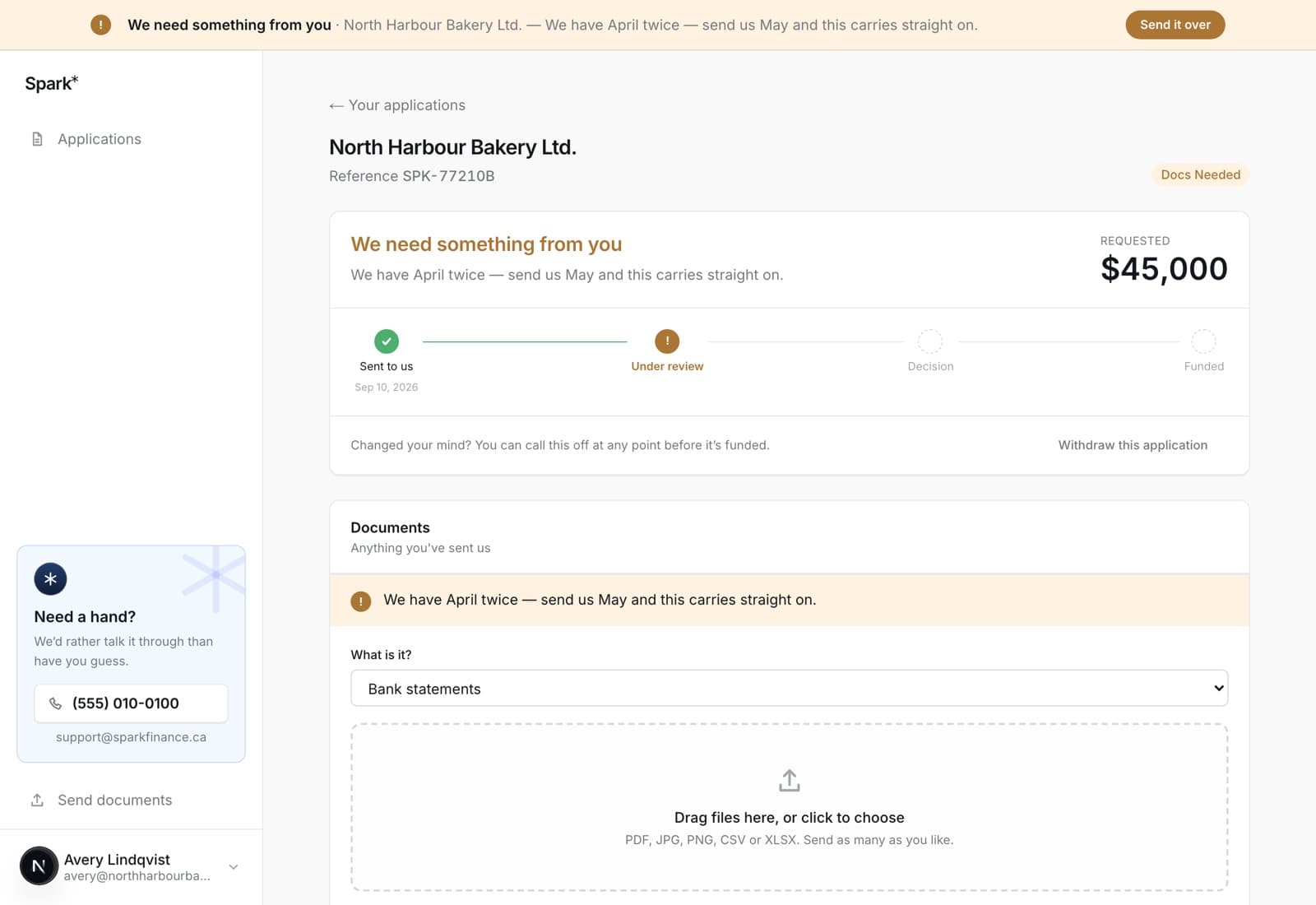
Of everything an application can be doing, one state is yours to act on. It looks like this:
What it means
An underwriter got far enough to know exactly what is missing. The request is specific — a particular month's statement, a piece of paperwork, a clarification — and it is written on the application rather than left for you to guess at.
It is not a decline, and it is not a reset. The file carries on from where it was the moment the thing arrives. If the application was already approved, it stays approved: the approved amount stays on your screen while we wait.
Sending what was asked for
The upload panel is on the same page as the request. Choose what the file is from the short list — bank statements, incorporation documents, or something else — then drag it in or click to choose. It goes straight to the people reading your file.
Send what was asked for and nothing else. "Everything I have, just in case" is slower to read and does not answer the question.
On the web
A banner sits across the top of every screen while something is outstanding, with Send it over next to it. Following that, or opening the application itself, puts you on the panel that takes the file.
In the app
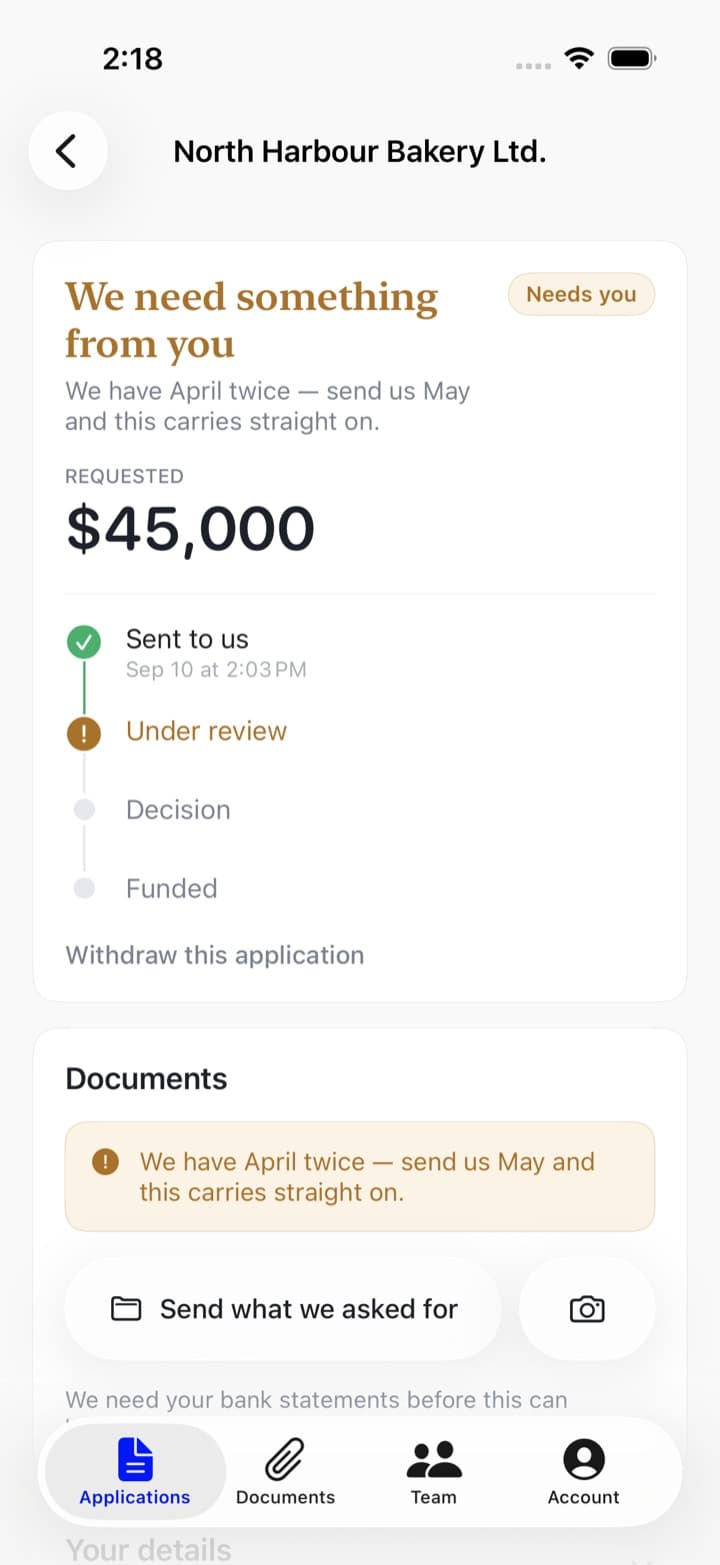
The same request on the application screen, with two ways to answer it: Send what we asked for opens Files, and the button next to it opens your photo library — which is the faster answer when the thing they want is a piece of paper on your desk, photographed in the Camera app first.
Or just reply to the email
The request also arrives by email, and our emails are not sent from a no-reply address: replying to one lands back on your file rather than in somebody's personal inbox. If the document is already an attachment in a thread with your accountant, forwarding it to us that way is a perfectly good answer. See the emails we send you.
If you cannot find it
Call. A request that has you hunting through a filing cabinet for an afternoon is usually a request somebody can narrow down in a two-minute conversation, and occasionally one we can satisfy another way. The number and the hours are on the support page.