Sending it to us
What has to be finished before the button works, who in the business is allowed to press it, and what happens in the first hour after you do.
3 min read
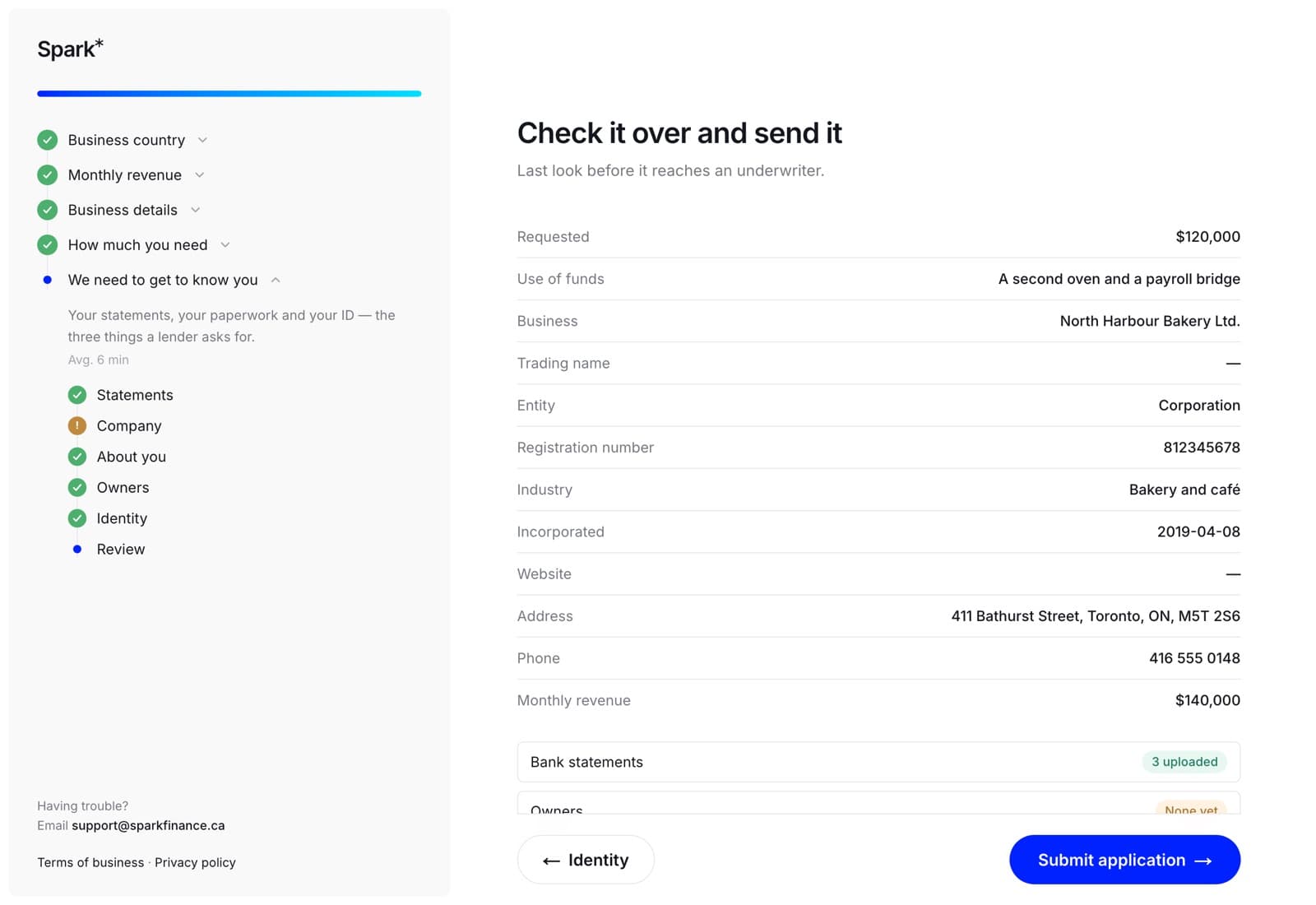
The last step is Check it over and send it: everything you have entered on one page, with anything still outstanding marked. Read it, then Submit application.
Five things the button checks
If it refuses, it tells you which one — and they are checked in this order:
- The application has not already been sent. One application, one submission.
- You are an owner of the team. An employee can fill in every box on every step — that is the point of having them — but sending it is the moment the business asks for money, so an owner signs. See owners and employees.
- There is an amount on the funding step.
- We have at least one bank statement.
- Your identity has been verified.
The last two are also two of the three steps the wizard will not let you walk past — the third is owners. That is deliberate: finding out at the end that a file was never sendable is worse than being stopped at the step it belongs to.
What happens when you press it
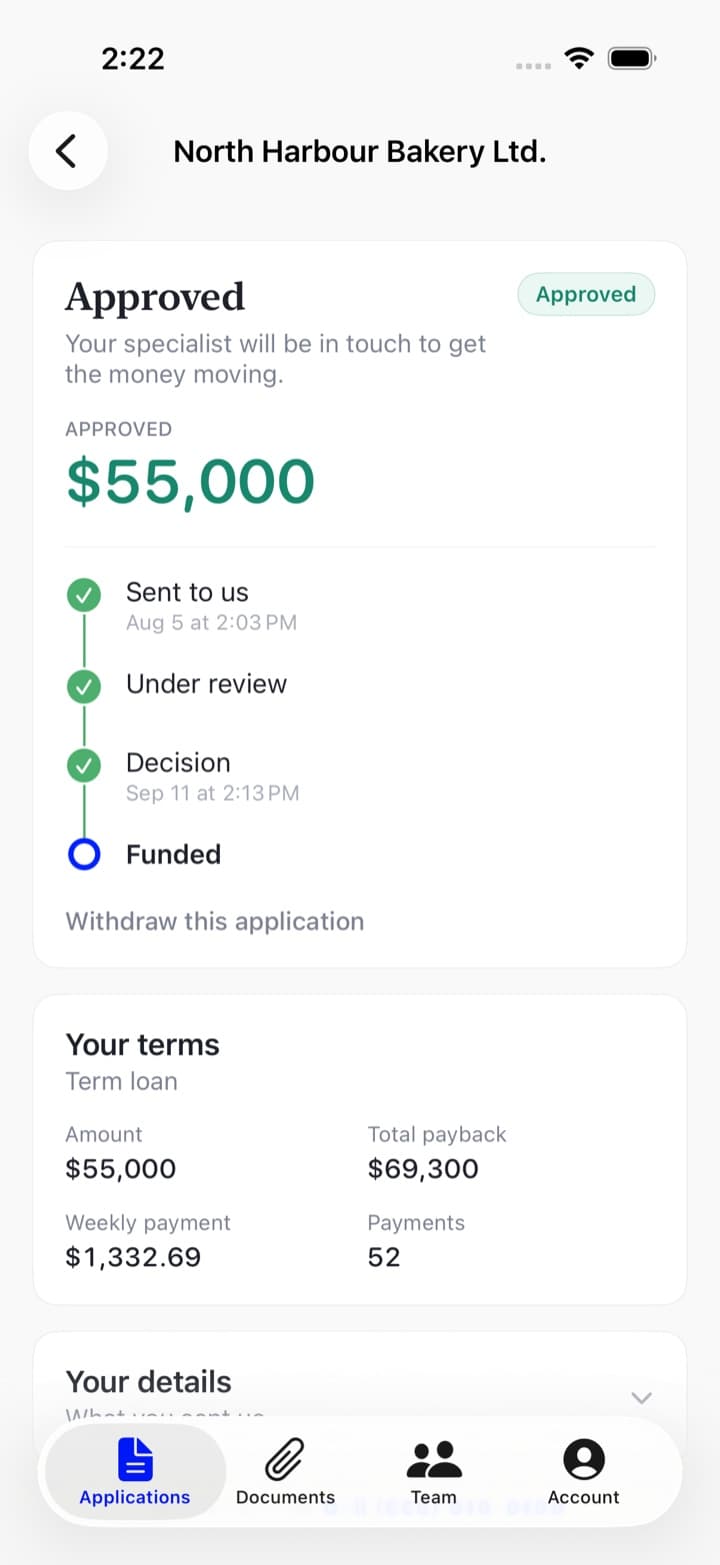
The application closes to editing and appears on your list as Submitted, with the tracker moving to We've got it. It joins the queue to be read by a person. Most decisions come back within one business day of us having everything.
You will also see the reference — it looks like SPK-XXXXXX — at the top of the application. Have it to hand if you call.
Once it is sent, it is fixed
There is no editing a submitted application, not even the step you were standing on. What we decide on has to be what you sent us. If something was wrong or something has changed, call us and we will sort it out on the file rather than letting you quietly change the thing that has already been read.
On the web
The review step is the last item in the rail on the left, and you can jump straight to it from there at any time.
If anything is outstanding, the top of the step is an amber panel — One thing left before you can send this, or two — naming each one in plain words with a link straight to the step that fixes it: We need your last six bank statements → Upload them, Your identity hasn't been verified yet → Verify now.
Underneath it is the summary: everything you entered, and what we hold against it.
Submit application is the blue button at the bottom right. If it is greyed out, the reason sits beside it. Pressing it takes you to the application's own page, which is where everything happens from then on.
In the app
The wizard's last step is the same review, and the footer floats over it. If anything is outstanding, the app prints that one line where the button would be rather than offering a button that bounces — so if you cannot see Submit application, read the sentence in its place.
The app knows what is outstanding because it asks our server, which runs the same five checks the website does. There is no version of the app that disagrees with the website about whether your file can be sent.