What happens after you send it
The four stages on the tracker, what each one actually means, how long it takes, and what an approval looks like when it arrives.
4 min read
Once an application is sent, the screen stops being a form and becomes a tracker: four stages, and one line at the top that answers "so what is happening".
The four stages
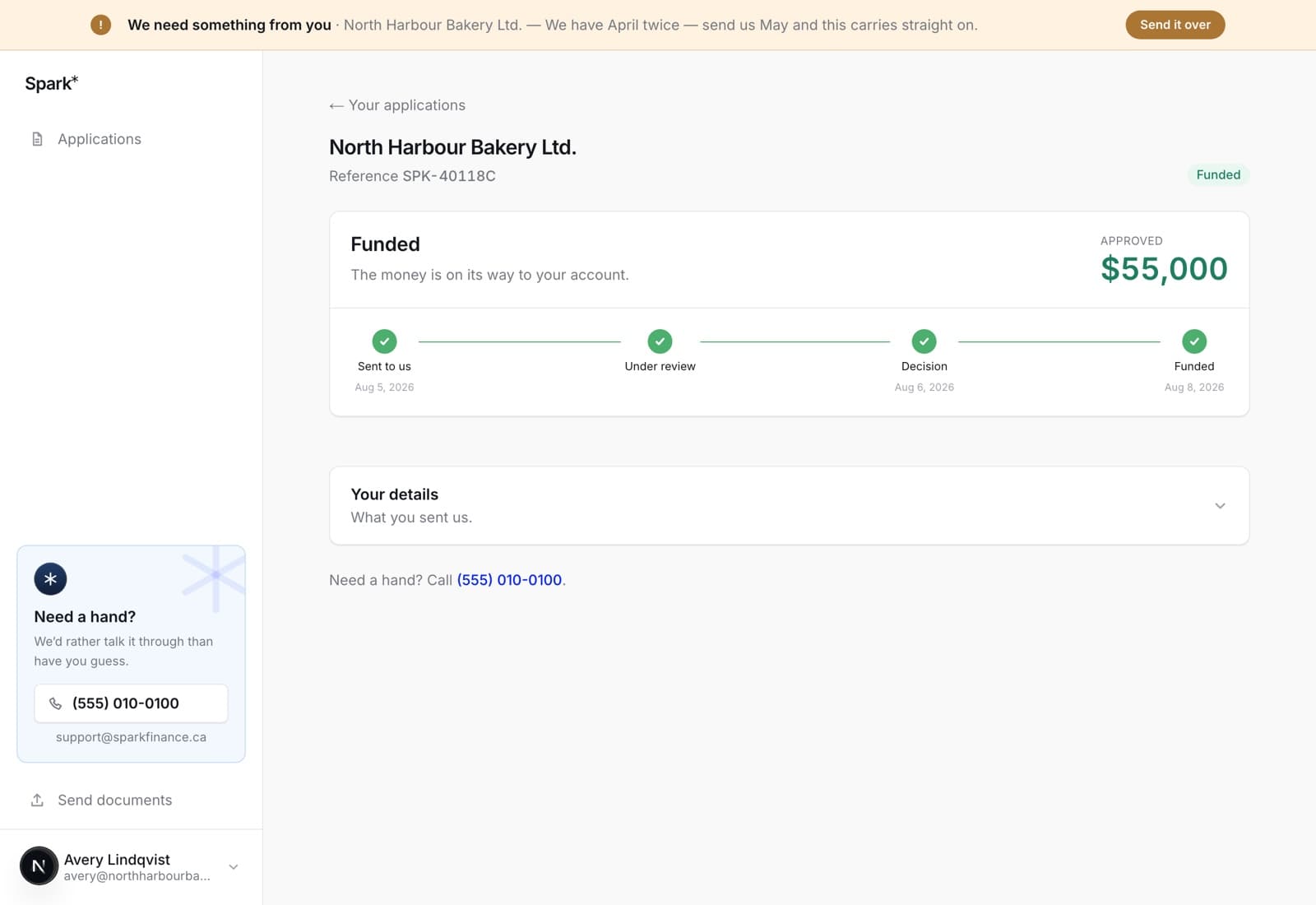
Sent to us. We have it. It is in the queue.
Under review. Somebody is reading it. This is where the statements get gone through, and where we take the file to the lenders we think will fund it. Most decisions come back within one business day of us having everything.
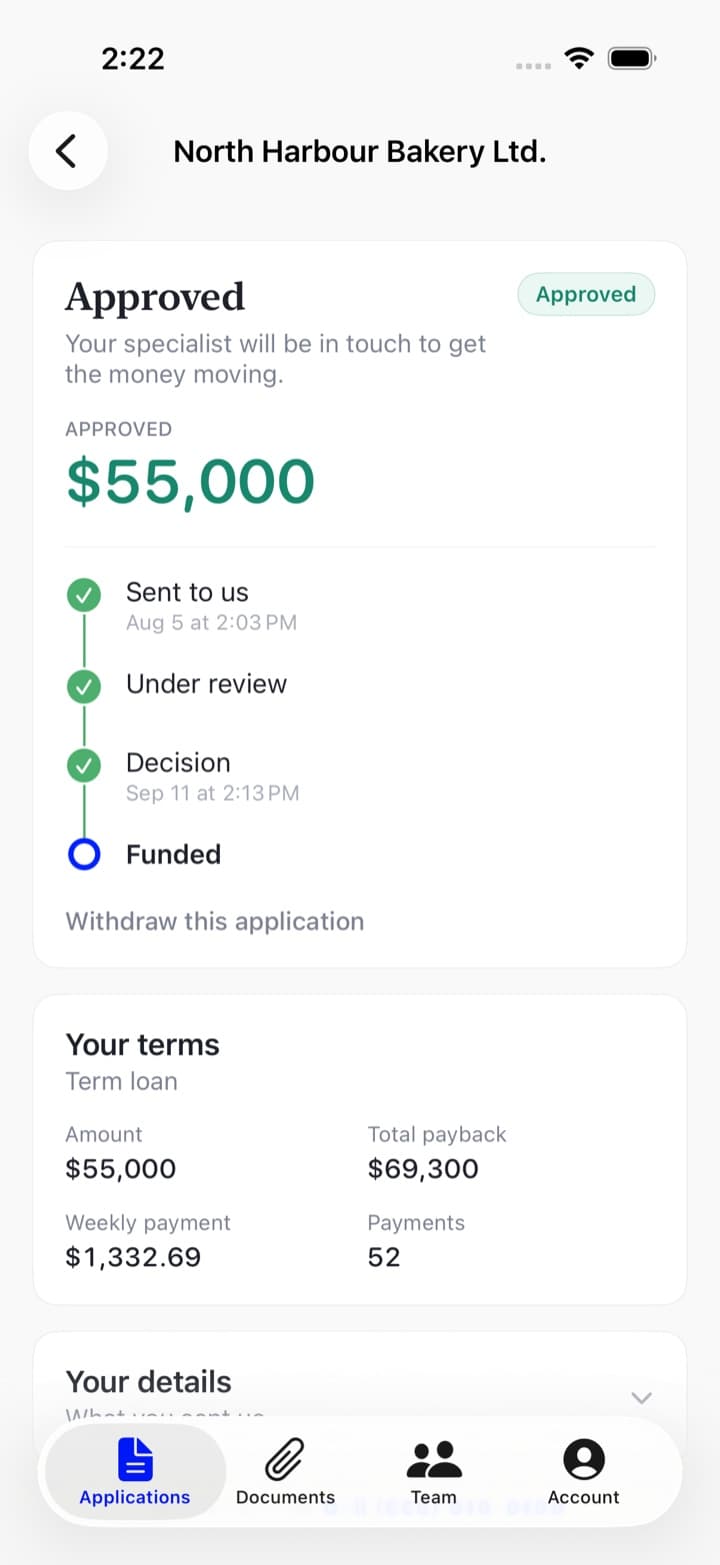
Decision. Approved or declined, with the amount if it is an approval. An approval survives a later request for a document — if we come back for one more statement before the money moves, the status changes but the decision does not, and the approved amount stays on your screen.
An approval also brings the terms with it: how much, what it costs in dollars, what leaves your account and how often. That screen is worth its own page — see reading your offer.
Funded. The money is on its way to your account.
The line at the top
Each state has one sentence, and they are worth knowing because they are the same words the list and the app use:
- We've got it — in the queue. Nothing needed from you.
- With our team — somebody is going through it now.
- We need something from you — your move, and it says what. See when we need something from you.
- Approved — decided. Your specialist will be in touch to get the money moving.
- Funded — on its way to your account.
- We couldn't fund this one — declined, with the reason. It is not a no for ever: talk to us about what would change it.
- Withdrawn — you called it off. You can start a new application whenever you like.
What you do not have to do
Chase us. If something is needed from you, the file says so, an email goes out, and the banner at the top of every screen carries it until it is dealt with. Silence means it is with us.
Send anything else "just in case". If we want something, we ask for exactly that and nothing else.
Declines
A decline says why, in one line, on the application. That reason is the useful part: quite often it is a thing that changes — a short trading history that gets longer, an existing facility that gets paid off, a quiet quarter that falls out of the last six months. Call and ask what would change it.
On the web
Open it from your applications list. One page carries all of it, in this order:
- The headline — what is happening, in a sentence, with the amount on the right. Once there is a decision that figure is the approved one rather than the one you asked for.
- The tracker — the four stages, dated as they happen.
- Withdraw this application, while there is still something to call off.
- Your terms, once approved.
- Where it's up to — a dated list of what has actually happened on the file, when there is anything to show. This is the detail the tracker compresses.
- Documents — everything you have sent on this application, and the panel for sending more when something has been asked for.
- Your details — what you sent us, collapsed, so you can check what an underwriter is reading.
If your specialist has left a note on the file, it appears at the top of the page. That is a person writing to you, not a status.
In the app
Tap the application on the Applications tab. The same things in the same order, drawn for a phone: the headline and the amount, then the four stages as a vertical timeline with their dates, then withdraw, then the terms once there are any, then documents, then your details.
Pull down to refresh — the app asks our server rather than keeping its own copy, so what you see is what we hold, as of the moment you pulled.