Saving, and picking it up later
Nothing has to be finished in one sitting. What gets saved, when, where it reappears, and the one deadline on an unfinished application.
3 min read
There is no Save button, because there is nothing to press. The form saves itself as you type, and an application you abandon halfway is waiting where you left it — on either device.
What is saved, and when
Every step saves on a pause. Stop typing for about a second and what is in the fields goes to your record; a small Saved appears between the two buttons at the bottom of the step.
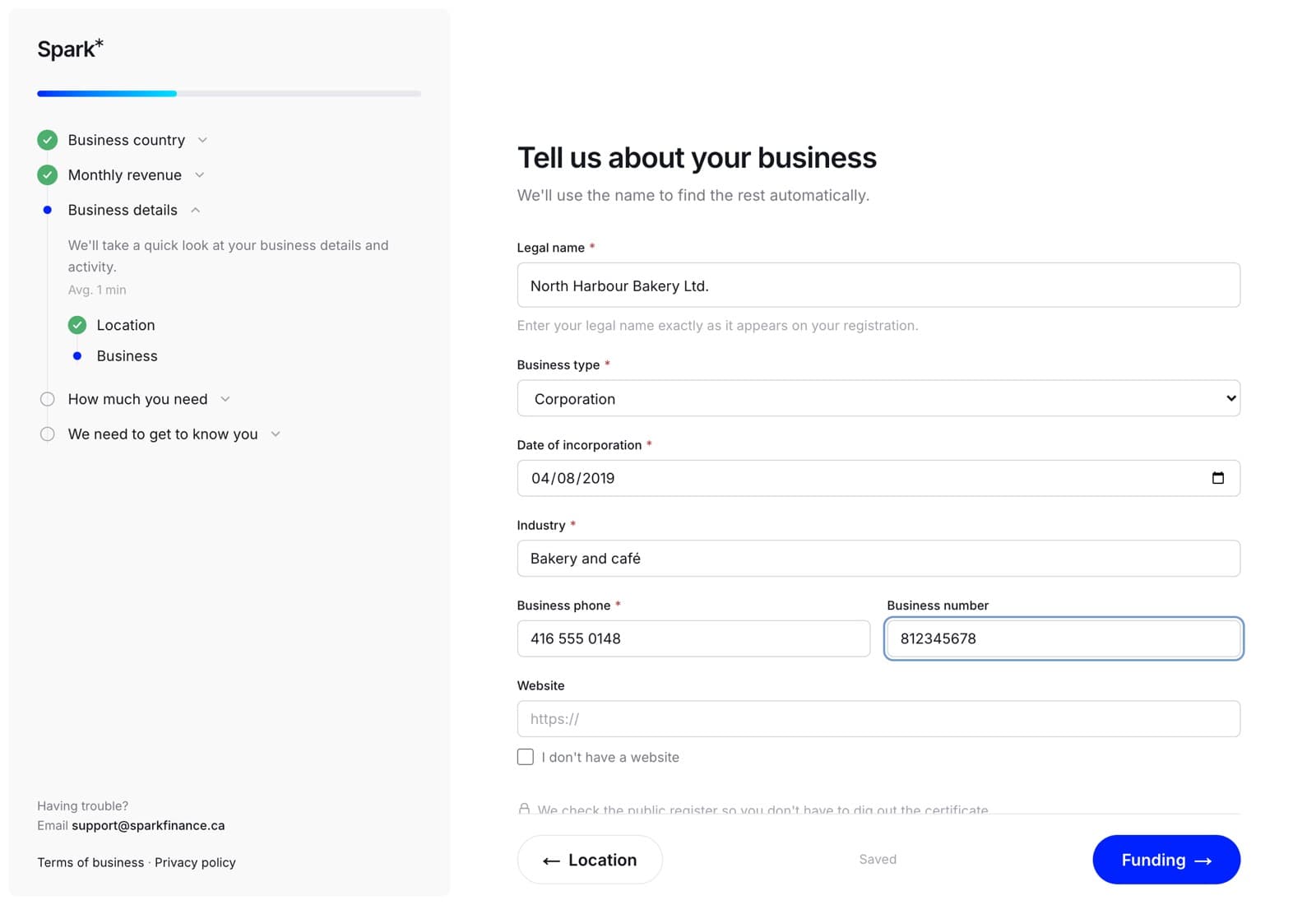
It saves whatever the step is carrying, so a step where you have answered three questions of five is stored with three answers rather than none. Pressing Next saves properly as well — the autosave is a safety net under the form, not the only thing holding it.
Coming back to it
Your unfinished applications are on the same list as everything else, marked Draft and Not sent yet. Open one and it reopens on the furthest step you reached, not back at the beginning.
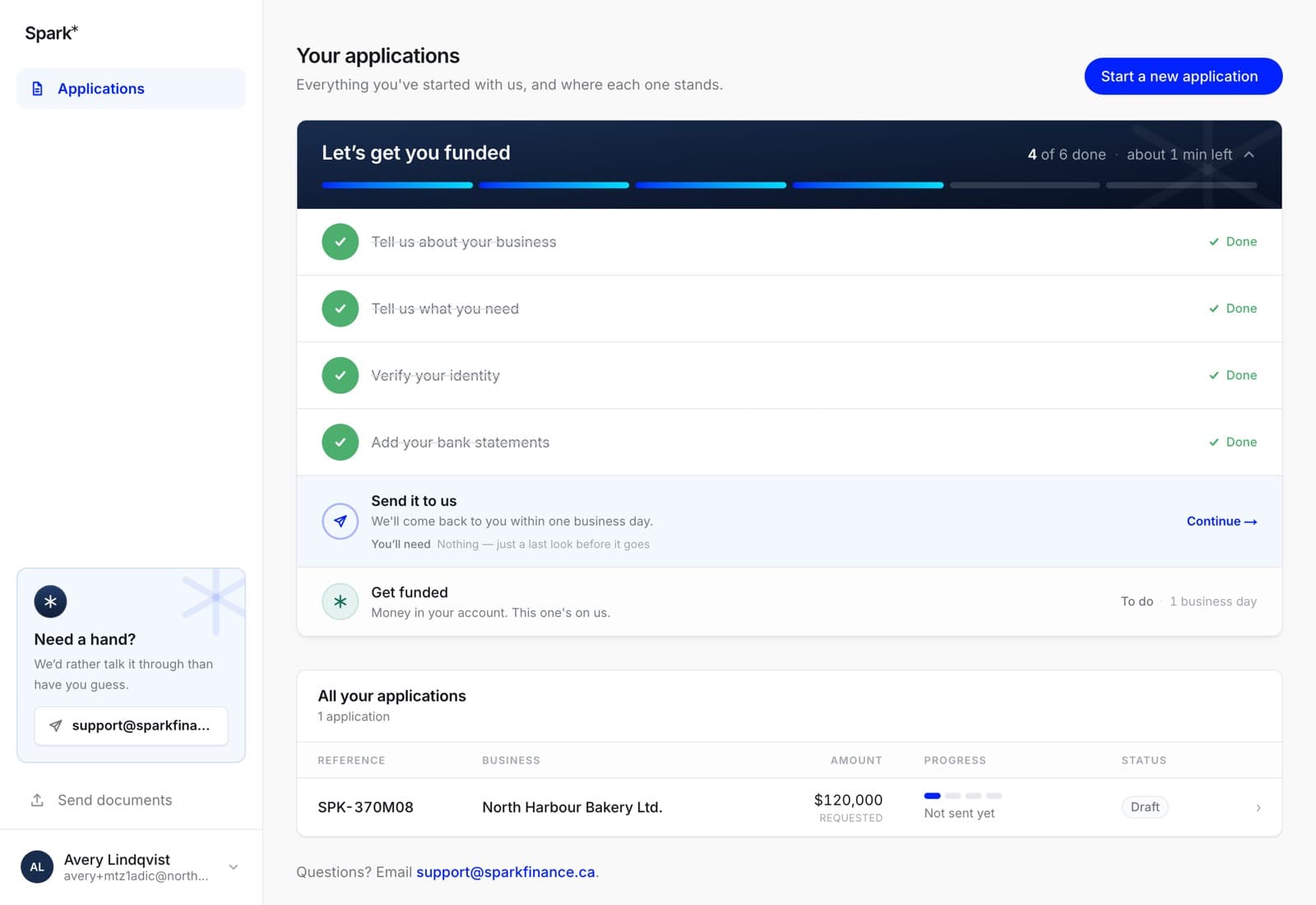
A checklist sits above the list with what is left and roughly how long it will take. It is worked out fresh each time from your actual record, so doing something by another route — uploading statements from the Documents screen, verifying your ID from a link — ticks it off correctly.
It stays up after you send the application, because two of its six steps are "Send it to us" and "Get funded", and it disappears for good once money has actually landed. A checklist that vanishes at the moment of most suspense would be the wrong call.
Switching between the laptop and the phone
One account, one set of applications. Start at your desk, finish on the train; the app and the website are two windows onto the same record, not two copies of it. The app asks the server what the steps are and what is outstanding rather than deciding for itself, so the two can never disagree about where you got to.
In the app
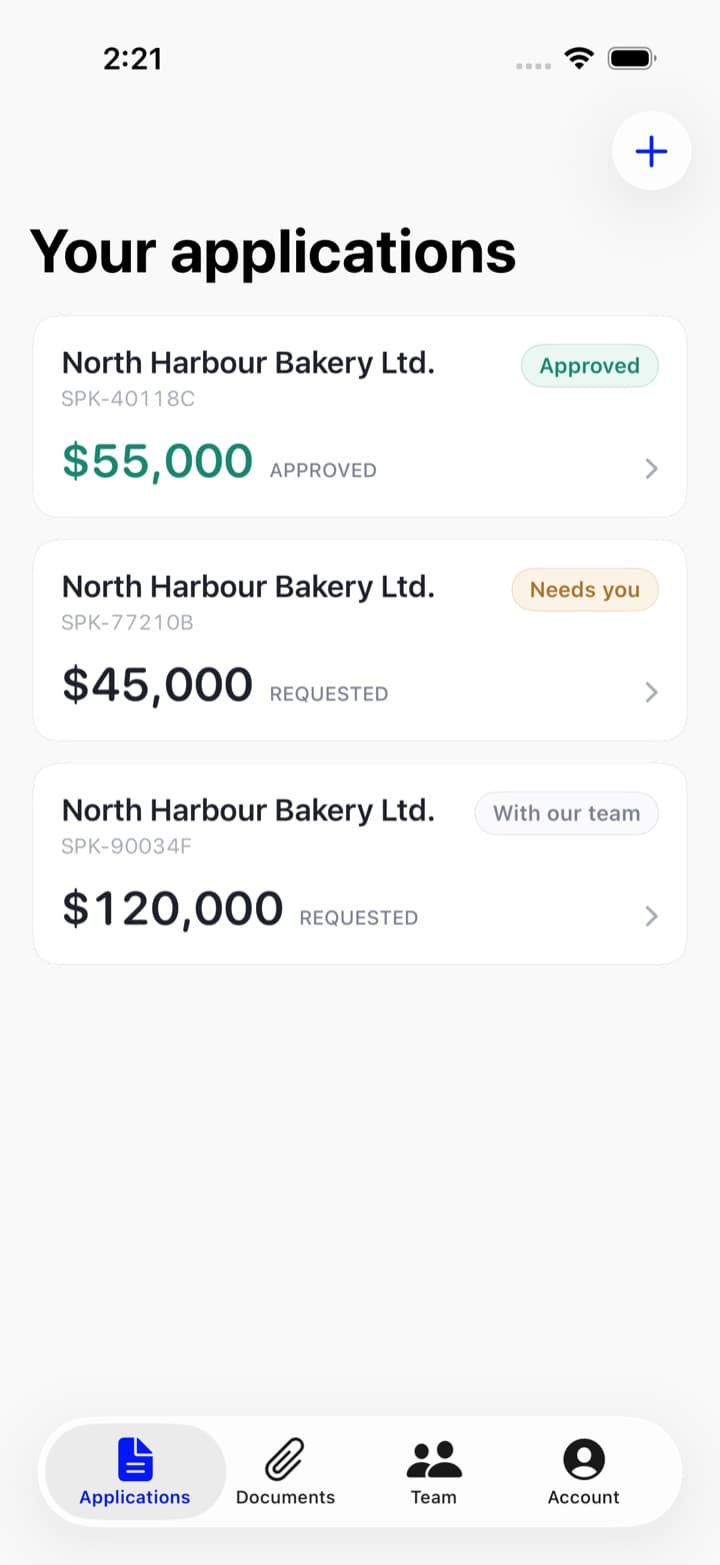
The Applications tab is the same list. An unfinished one says so on the row — Not sent yet — pick up where you left off — and tapping it opens the wizard on that step.
The one deadline
An unfinished application expires 45 days after you start it. The clock runs from when the draft was created, and working on it does not push the date back. Not to hurry you — because financials go stale, and an application built on statements from two months ago is not the business a lender would be funding today.
If that happens, the application says so, and the answer is to start a new one: everything you typed comes across and the documents do not. See applying again.
A submitted application never expires. Once it is with us it is with us.