Changing or withdrawing an application
Why a sent application cannot be edited, what to do when something was wrong or has changed, and how to call it off.
3 min read
Before you send it
Everything is editable. Go back to any step from the rail on the left — or, in the app, by reopening the application — change it, and it saves itself. Nothing is final until you press Submit application.
After you send it
A sent application is fixed. There is no editing it, not even the step you were standing on when you sent it, and that is on purpose: what we decide on has to be what you sent us. An application that can change under an underwriter who has already read it is one nobody can stand behind.
So if something was wrong, or something has changed:
- Call us. With the reference — SPK-XXXXXX, at the top of the application — we can put the correction on the file where the person reading it will see it.
- Do not start a second application for the same business to correct the first. Two live files for one business do not double your chances; they split the attention of the person reading them.
Withdrawing
You can call an application off while it is still live — that is, anything except funded, declined or already withdrawn. On the application page, under the tracker: Withdraw this application. Once a file is funded or declined the link is not there, because there is nothing left to call off.
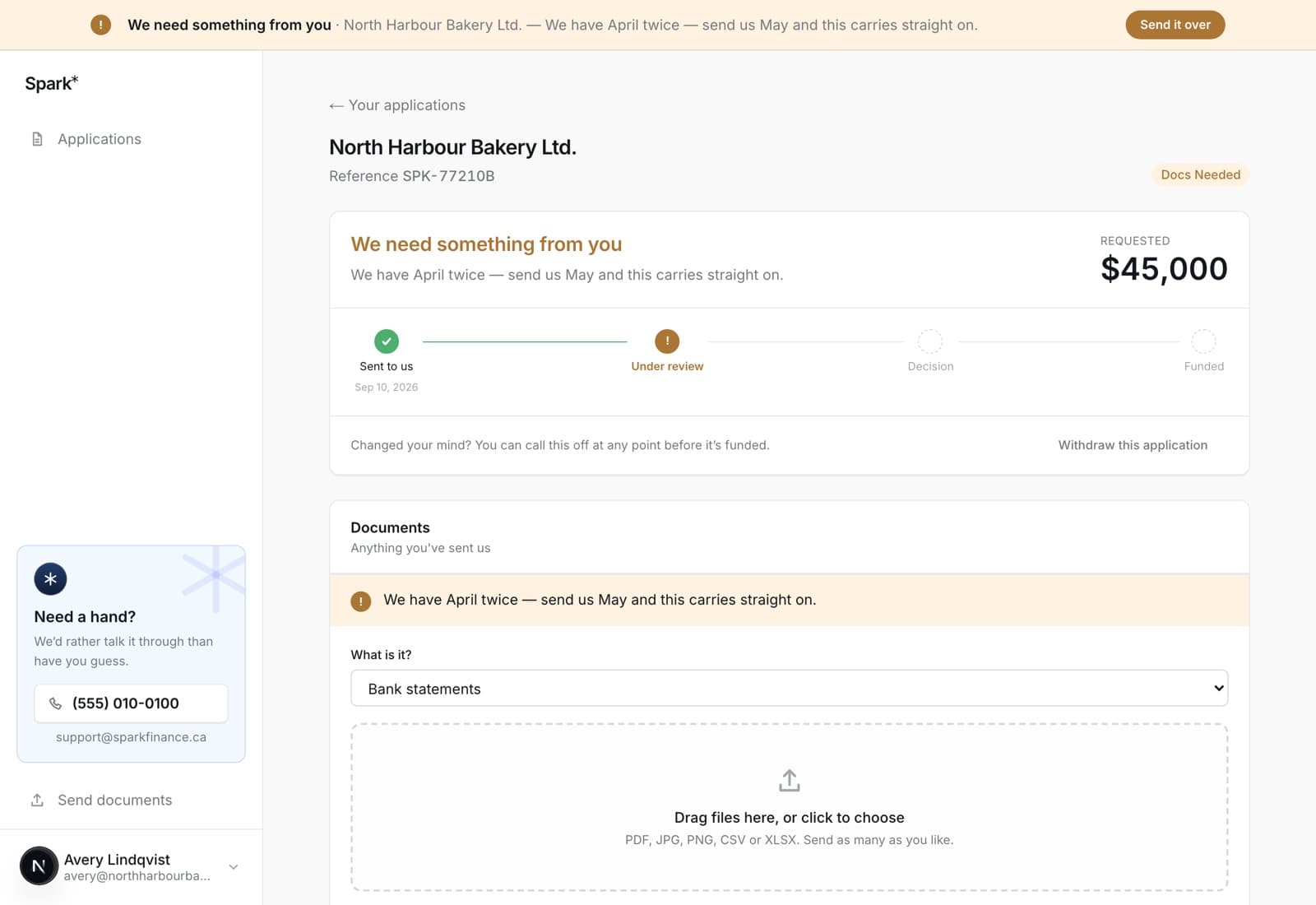
It closes the file and stops the work on it. Nothing else happens — no fee, no mark against you, and you can start a new application whenever you like. A withdrawn application stays on your list marked Withdrawn, because it is part of your history with us.
If a draft expired
An unfinished application closes to editing 45 days after you started it, because the statements underneath it have gone stale. Start a new one: everything you typed comes across, the documents do not. See applying again.
In the app
The same Withdraw this application under the tracker, and the same rule about editing. The app asks first — a confirmation sheet titled Withdraw this application? with a red Withdraw it — because it is not something to do by mis-tap.
If you open an application that can no longer be changed, the app says why rather than showing you a form that will refuse to save.
Documents you sent stay with the withdrawn file. They are not deleted, and they are not moved onto anything new — see applying again.