Applying again
A second application for a business we already know starts nearly finished — everything you typed comes across, and the documents do not.
2 min read
Businesses come back: another season, another piece of equipment, a facility that has been paid off. The second application is not the whole form again.
What carries across
Everything we already hold about the business: its legal name, entity type, registration number and incorporation date, the address, the industry, the phone number — and the owners, which is usually the fiddliest part of the first one.
Your identity verification carries too. Once it has passed you are not asked again, on this or any future application.
What does not
The documents. Six fresh months of bank statements, and your company paperwork again. Nothing you have uploaded is copied onto the new application.
For the statements that is the whole point: they are the one thing that has to be current, and a file built on statements from two months ago is not the business a lender would be funding today. It is the same reason an unfinished draft expires 45 days after you start it. The paperwork is less interesting and takes two minutes — have the PDFs where you can find them.
How to start one
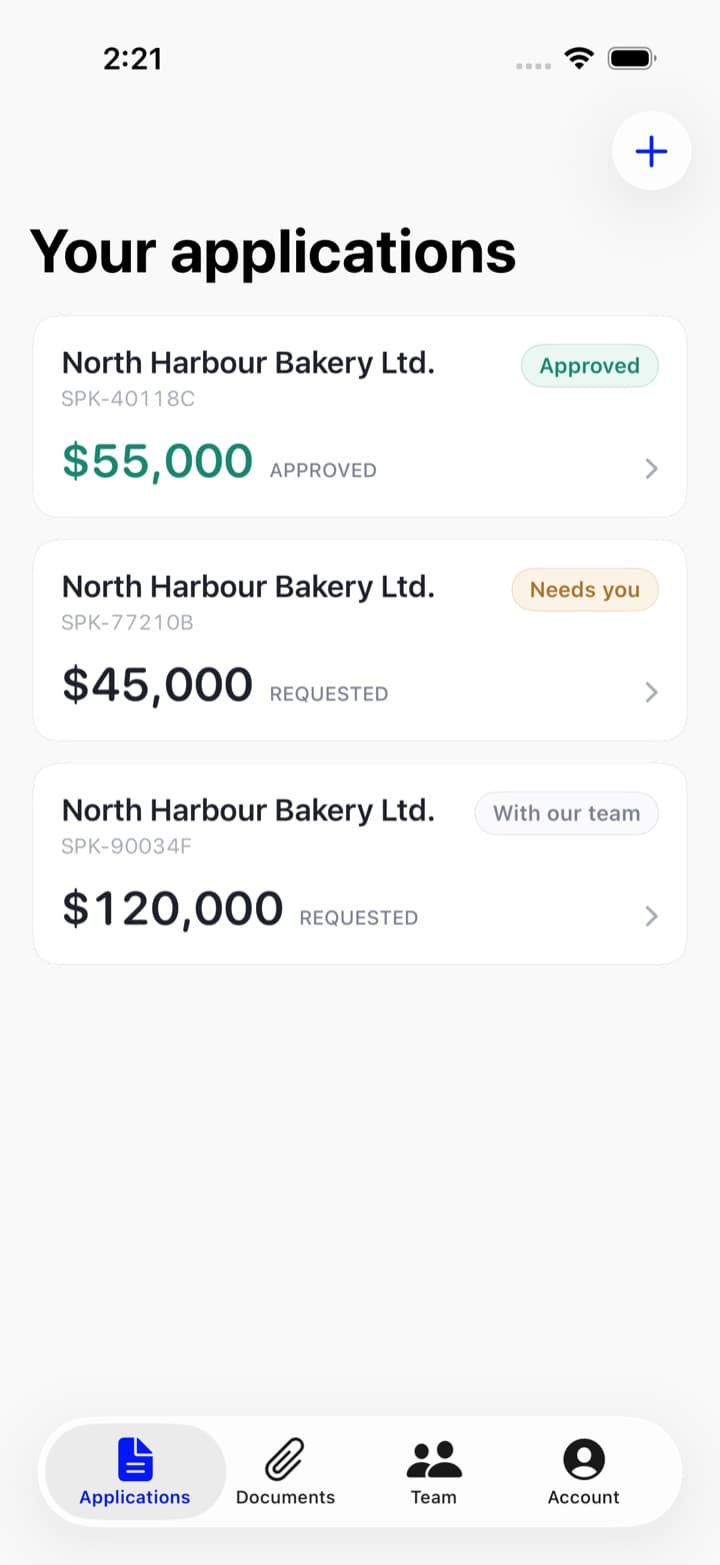
Open your applications and use Start a new application at the top right — in the app, the + at the top of the Applications tab.
Either way the next screen is the same question: is this for a business we know? It lists the businesses you have applied for before — each with the month you last applied and that application's reference — plus It's a different business for a new one. Picking the business is what starts the new application nearly finished; picking a different business gives you the empty form.
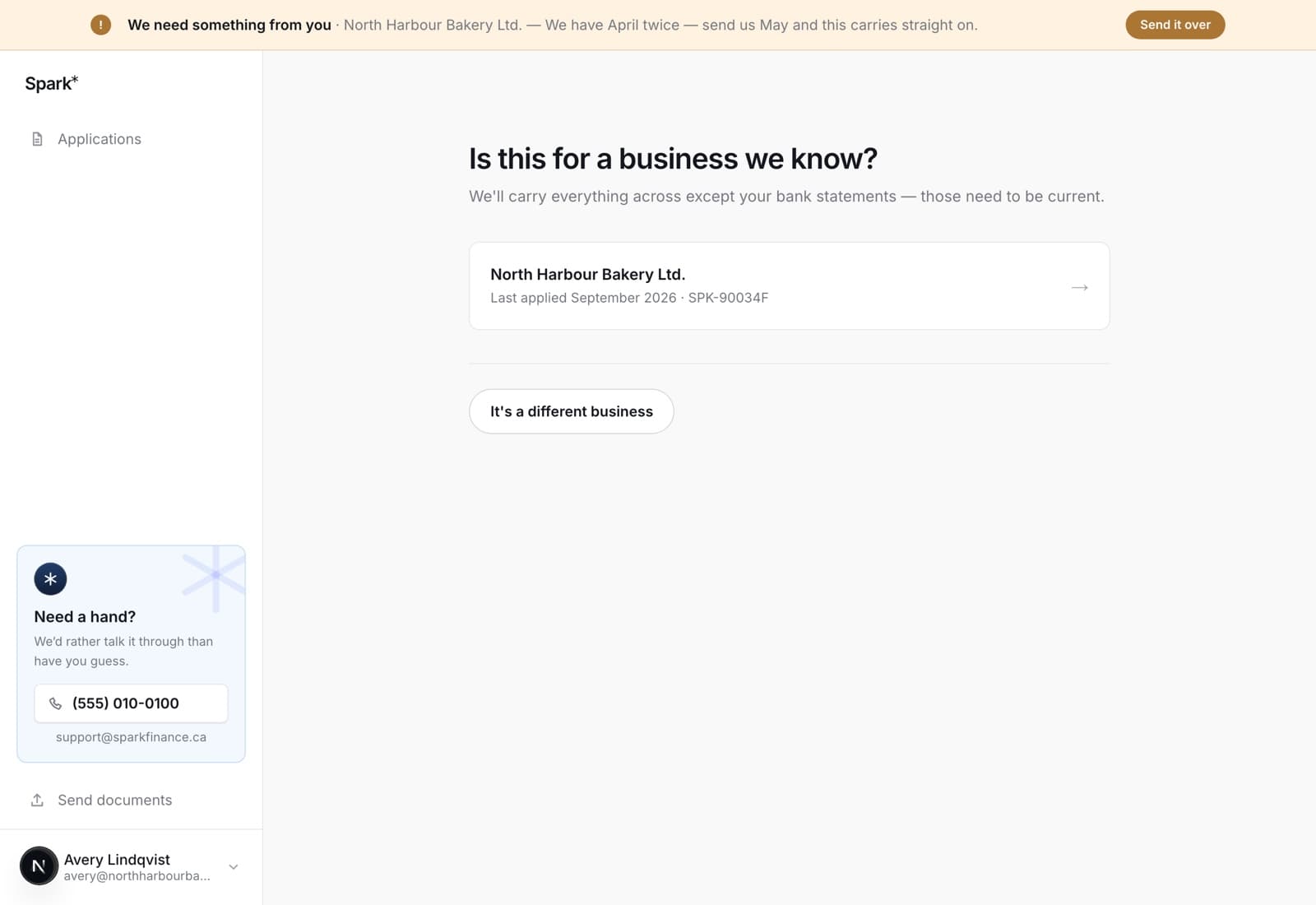
In the app, the + opens the same question as a sheet.
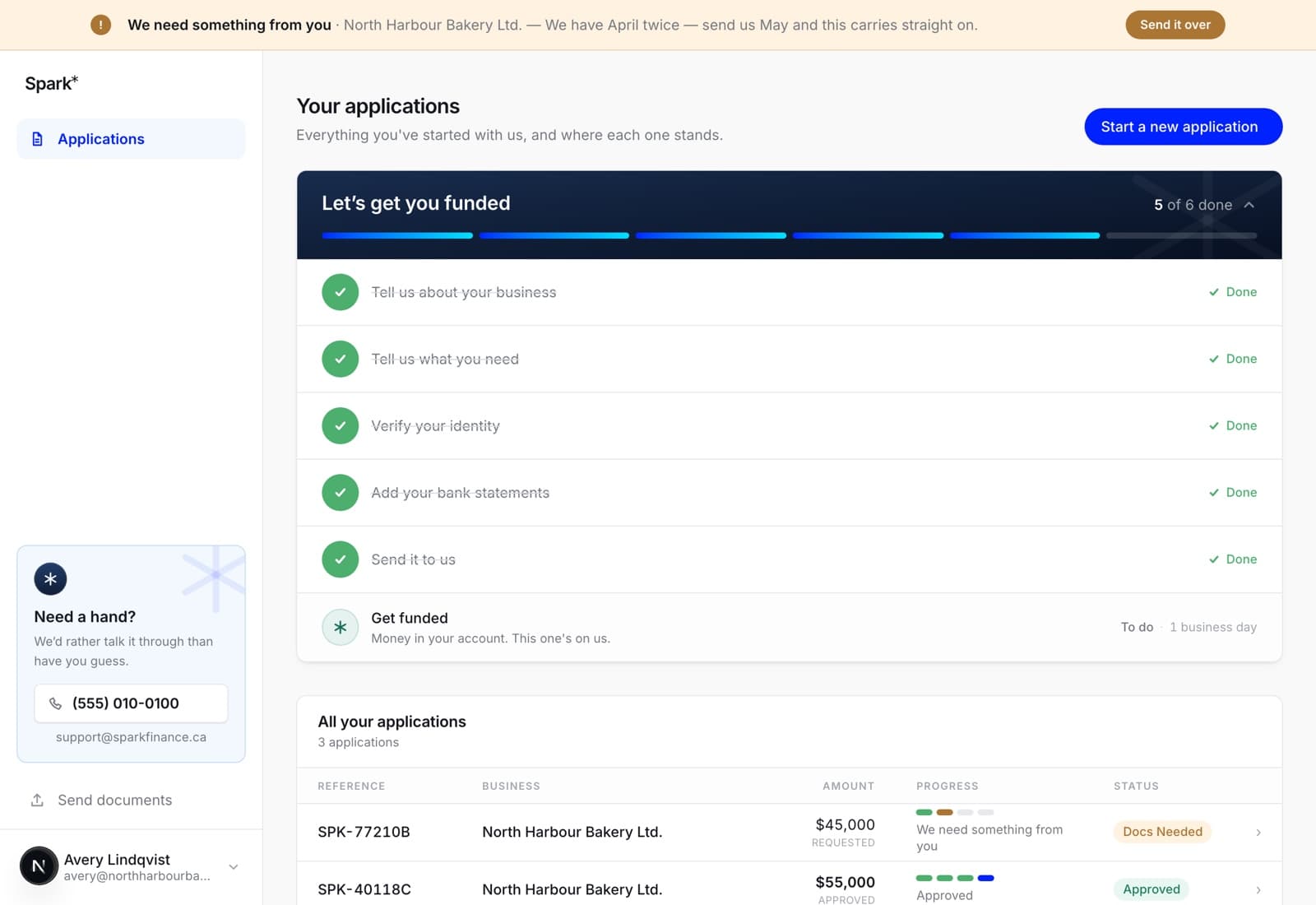
Your list keeps everything
Funded, declined, withdrawn and in progress all stay on the list. It is your record with us: what you asked for, what was approved, and when. The amount column shows what was approved once there is a decision, rather than continuing to show what you asked for — once there is an approved number, that is the number.
In the app
The same list and the same +. A second application started on the phone is the same application you will find at your desk ten minutes later.