Your details
Where your own contact information lives, how to change it, and why it is separate from the business's.
2 min read
Two different sets of details sit in Spark and it is worth knowing which is which:
- The business's — legal name, registered address, business phone. These belong to an application, because they are what you are asking us to fund. They are on the business step.
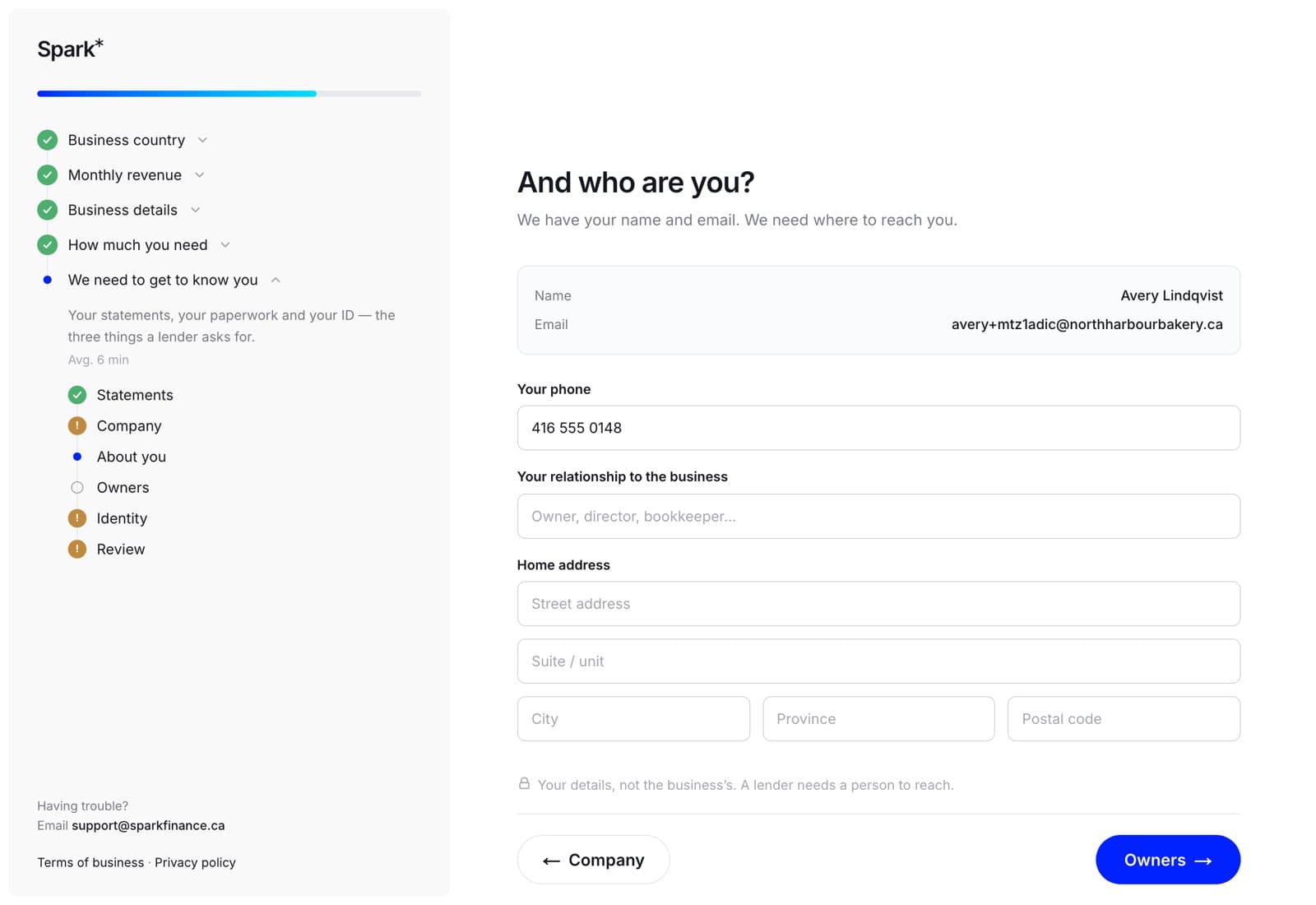
- Yours — your mobile and your home address. These belong to your account: somebody who applies twice lives in the same place both times.
- Your role at the company sits on the application rather than on either of the other two, because the same person can be a director of one company and a guarantor for another. A repeat application carries the last one over.
Changing yours
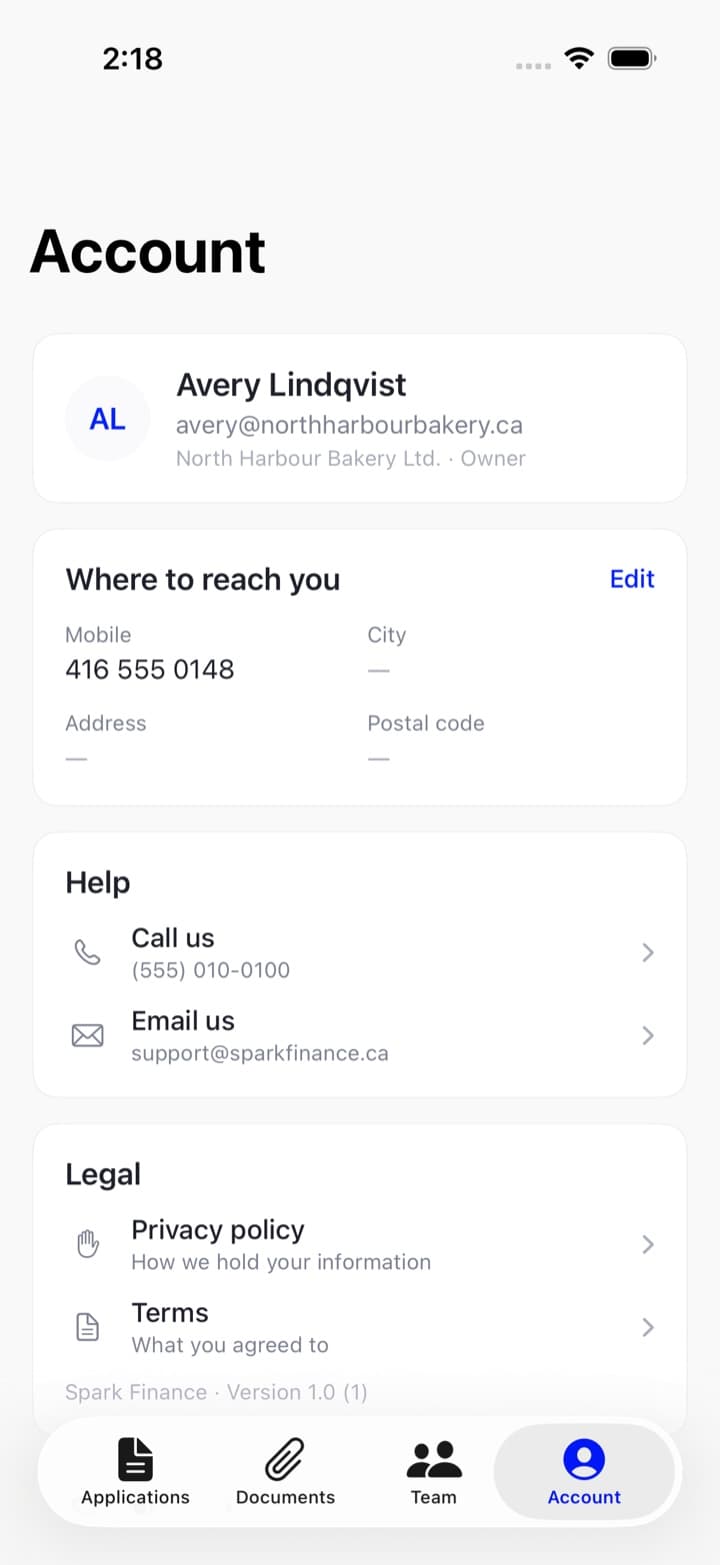
In the app: the Account tab, then Edit on Where to reach you. Mobile, address, city, postal code. Save.
On the web: the About you step of any application writes your mobile and address to exactly the same place, so updating them there updates your account. (The role on that step belongs to that application.)
Your name and email
Both came from signing up, and neither is changed from a form. Your email is what you sign in with and where decisions are sent, and your name has to match the ID you verified with — so if either is wrong, call us and we will do it with you.
Why we ask for a home address
Every lender asks for it, for anyone who owns 25% or more of the business. Asking you once, on your own account, is better than asking you again on every application — and better than chasing you for it after a file is already with an underwriter.
What we do with it
Your details are used to underwrite your application and for nothing else. We do not sell them. The privacy policy is the long version.