If you sent the wrong document
There is no delete button, and that is deliberate. What to do instead, on both surfaces, and when it matters enough to call.
2 min read
It happens: April uploaded twice, a personal statement instead of a business one, the wrong company's paperwork.
You cannot remove it yourself
There is no delete on either the website or the app. A document you have sent us is part of the file an underwriter is reading, and a file that can lose pages after it has been read is not one anybody can stand behind.
So the answer is not to undo it. It is one of the two below.
If it was the wrong file
Send the right one. It sits alongside the wrong one, and the person reading your file works from the correct document. You do not need to re-send everything else — send only what was missing or wrong.
If it is not obvious which is which (two files called statement.pdf, say), say so when you
send it: call, or reply to the email we sent you about that application, and tell us which one
to use. A one-line note saves an underwriter a guess.
If it was something private
A personal bank statement, somebody else's paperwork, a document with information that should not have left your office — call us. We can remove it, and we would rather do it now than find it in the file later. The number and the hours are on the support page.
Filed under the wrong thing
If you picked the wrong kind — statements filed as "something else", say — nothing is lost. It is still attached to the application and still visible to the people reading it; the label is for sorting, not for routing. Mention it if you want it tidied.
Where to see what you have sent
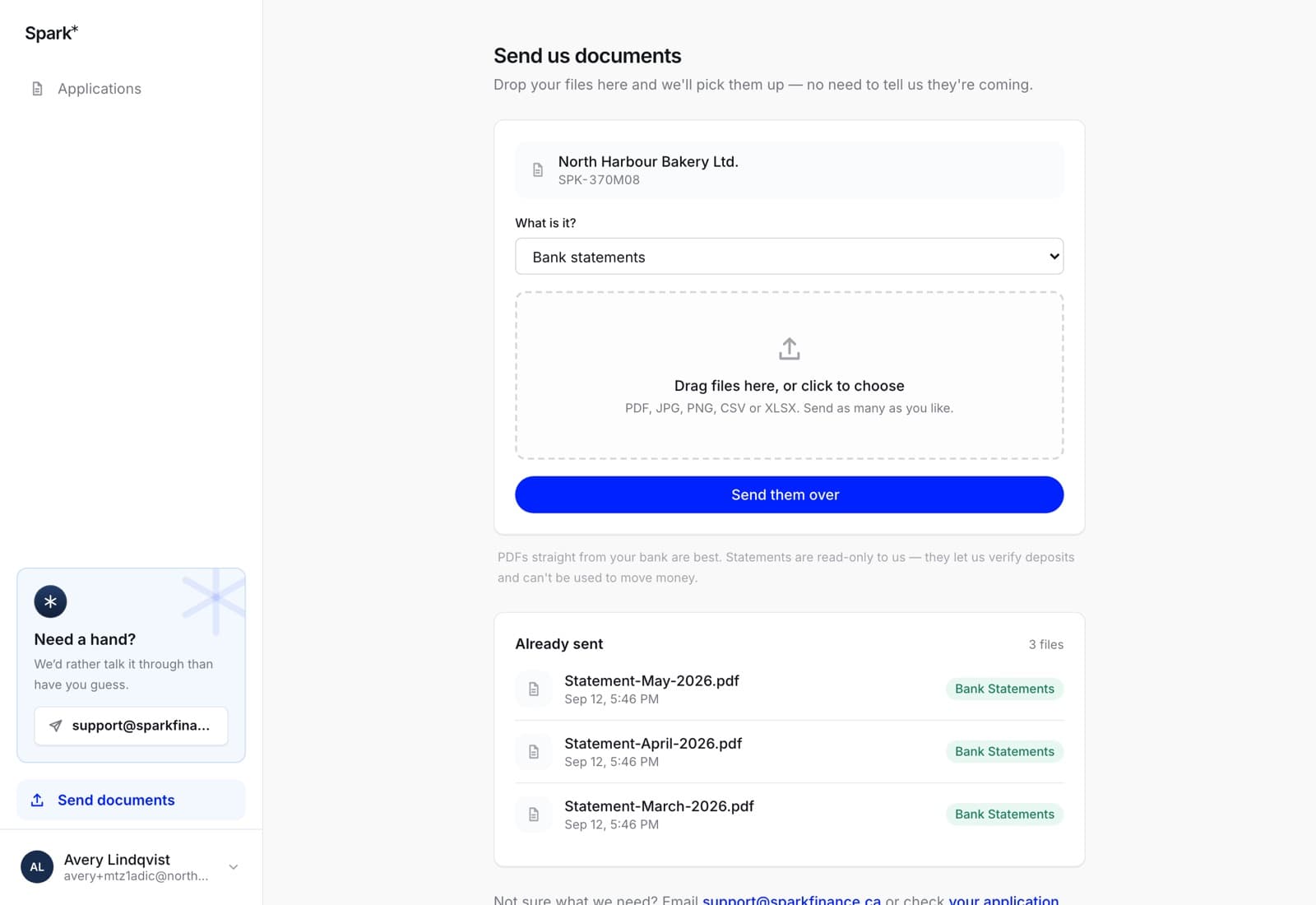
On the web: the application page lists its documents, and Send documents in the sidebar lists everything you have ever sent, with what it was filed as and when.
In the app: the Documents tab, under Sent.
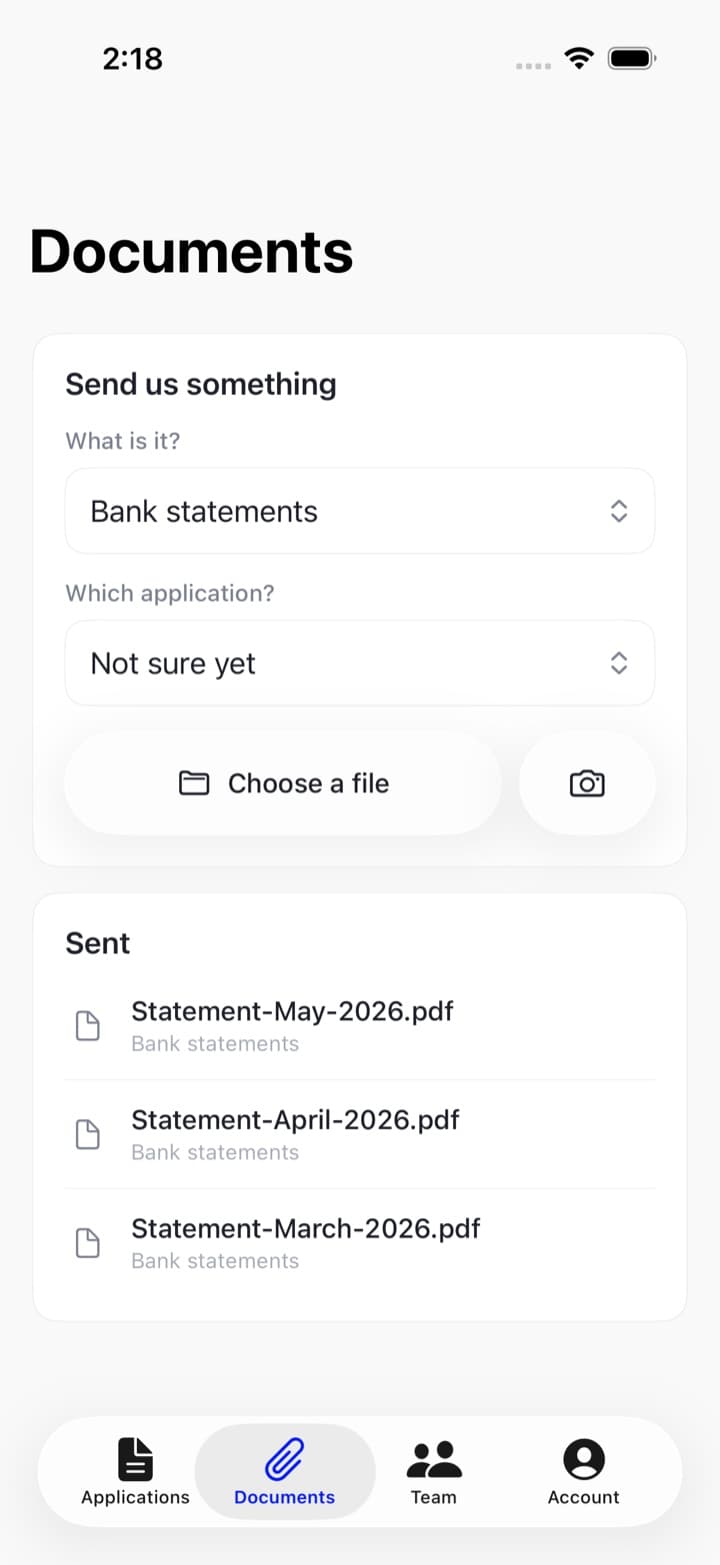
Check there before you re-send something — quite often the thing you think went missing is already on the list.