Company paperwork
Which documents prove the business is real, which are required, and how to send them.
2 min read
One step asks for proof that the company exists and is registered. We work with businesses incorporated in Canada, so there is one list.
What the step asks for
- Articles of Incorporation — required. Federal, from Corporations Canada, or provincial. Either is fine.
- Business Number (BN) confirmation — required. Your CRA business number letter, or a master business licence.
- A voided cheque or bank letter — optional, and worth doing. It confirms the account we would fund into.
On the web
The list itself is the control. Click the document you have and a drawer opens that already knows what it is — there is nothing to choose from a dropdown, because the row you clicked said it.
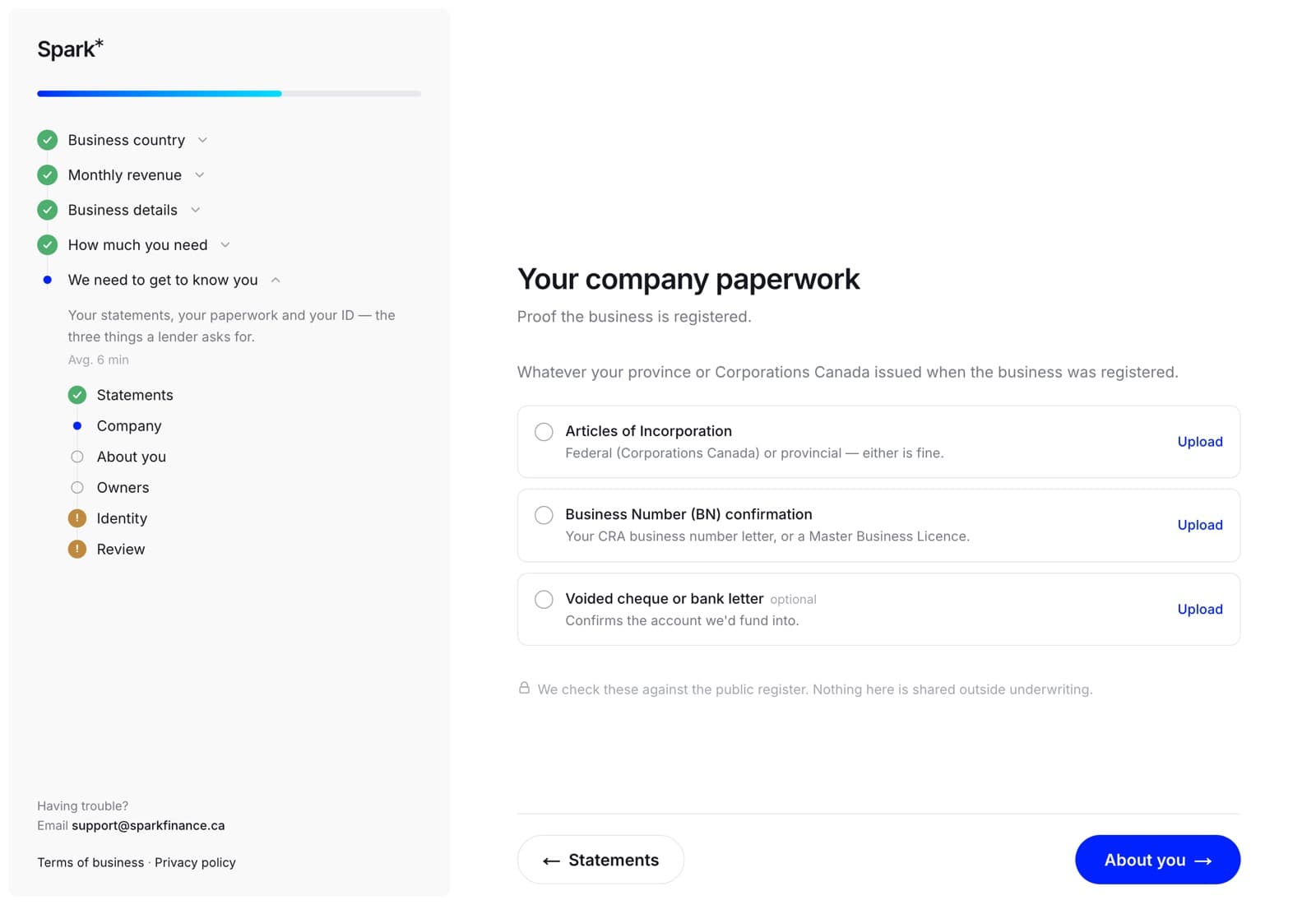
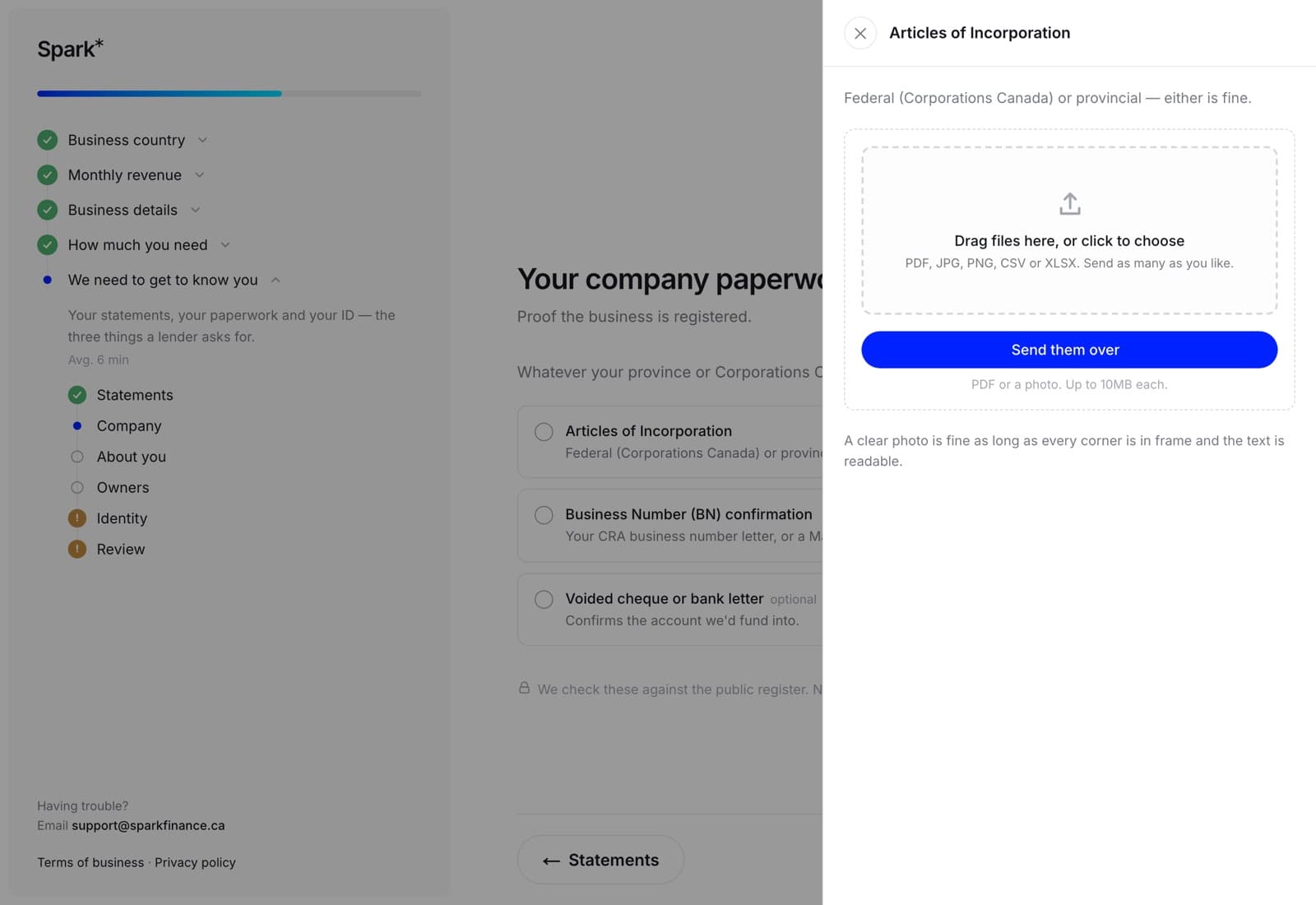
A green tick and the filename appear on the row once it is attached. Replace where Upload was means we have it.
Unlike the statements step, you can leave this one and come back — but the application is not complete without the required ones, and the review step will tell you so.
In the app
The company paperwork step carries the same list, from the same server, in the same order. Tap the row for the document you have, then Choose a file for something in Files, or the button beside it to pick a photograph out of your library.
There is no camera inside Spark: take the picture in the Camera app first — a certificate in a folder in the cabinet is best answered with a photograph rather than with an afternoon at a scanner — and then pick it here.
You can also send these outside the application, from the Documents tab, choosing Articles of incorporation or the equivalent from the list.
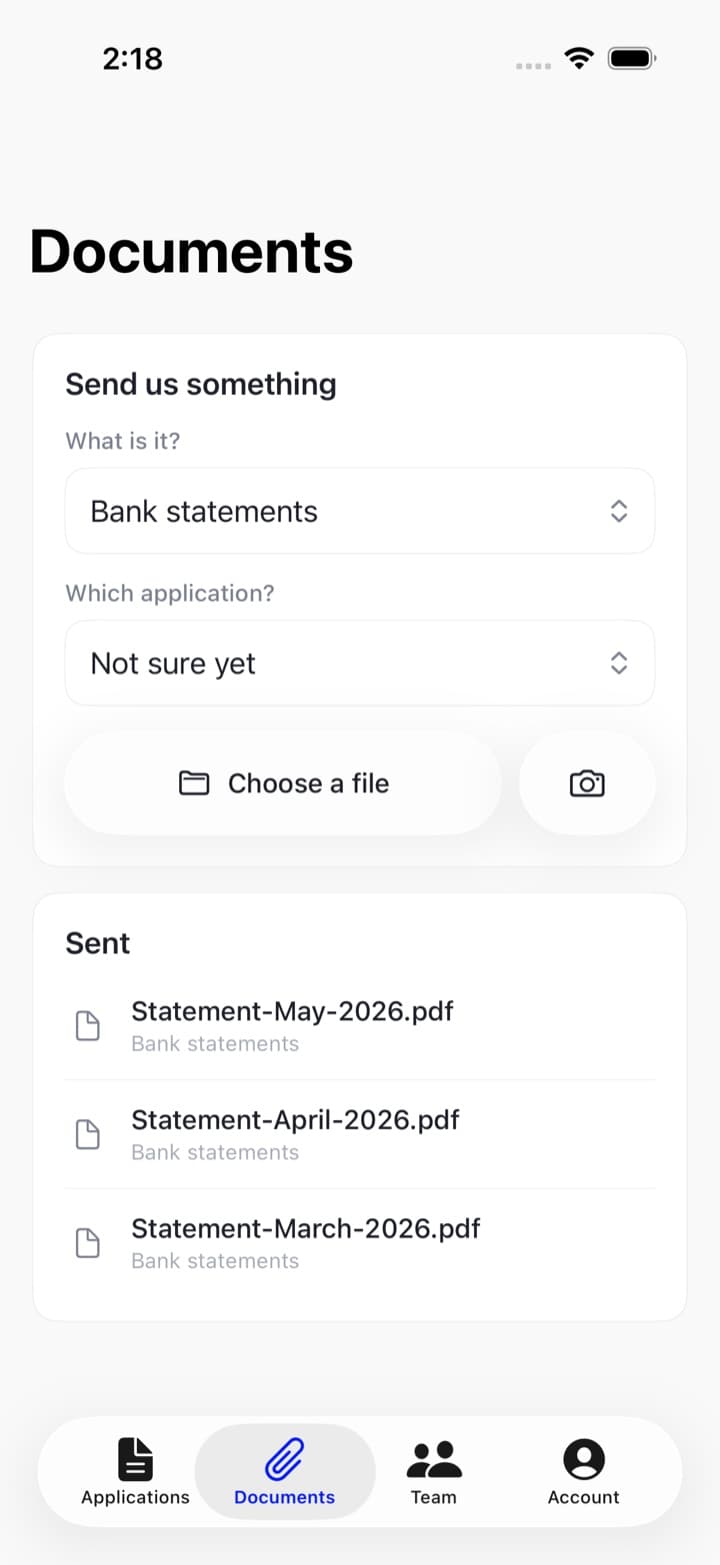
Photographs are fine here
Unlike bank statements, these documents can be photographed. A clear picture of the whole page, in reasonable light, with the text readable — up to ten megabytes each. See file types and sizes.